Getting Started in Throw a Friend for Monsters
From your first throw to a working monster pen—everything you need in the opening hour.
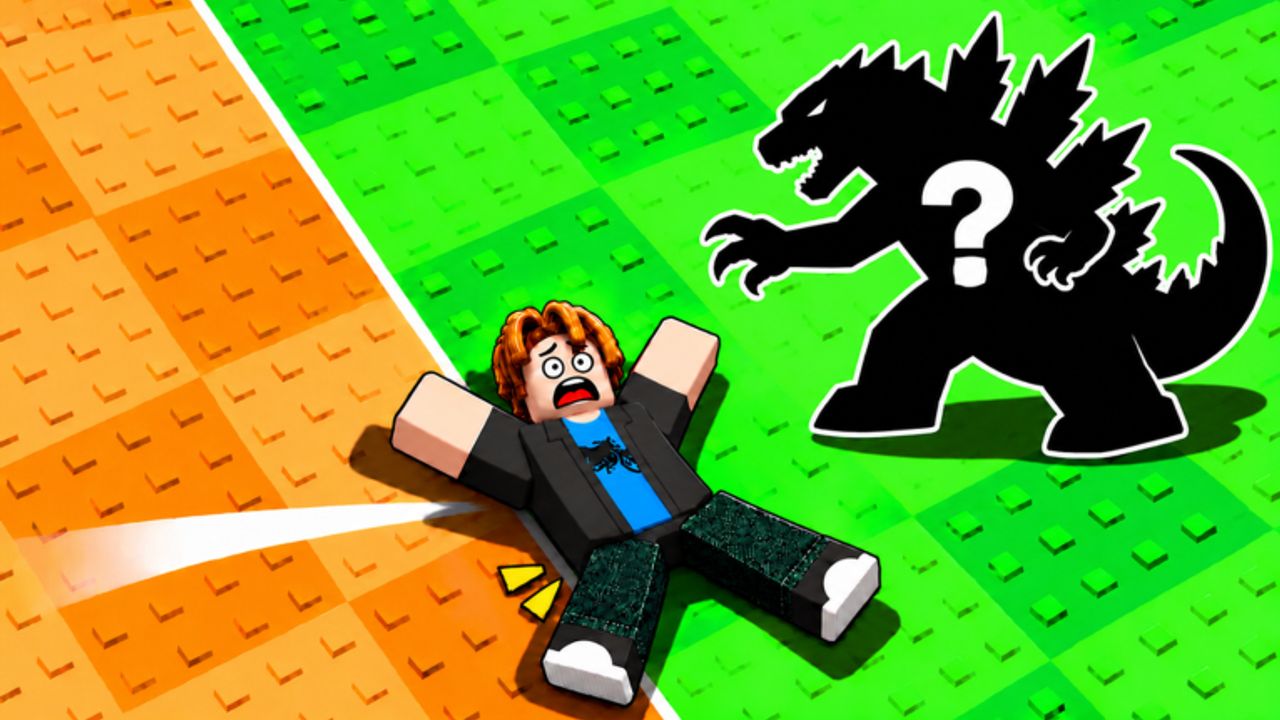
Throw a Friend for Monsters by Yeet Lab is a Roblox throw-and-collect loop released on 3 November 2026. You launch a friend into the world, lure monsters from zone to zone, park them so they earn money while you are away, then spend that cash on better ropes and Throw Power. This guide covers a clean first session so you do not confuse the game with Yeet a Friend or waste early upgrades.
Play here: Throw a Friend for Monsters on Roblox.
What the game actually is
The core loop is simple, but the order of actions matters:
- Pick up your friend (solo NPC or a real player).
- Throw them as far and as cleanly as you can.
- Lure or collect monsters from the zone you reach.
- Place monsters so they generate income while you are offline or busy.
- Buy better ropes, train Throw Power with the friend-as-dumbbell workout, unlock farther zones, and chase rarer monsters.
Throwing a real friend instead of playing fully solo grants extra luck on monster outcomes. Co-op is online-friendly—invite someone from your Roblox friends list when you can. For a deeper look at distance training, read Throw Power training. For timing, see perfect throw tips.
First five minutes checklist
Use this checklist on a fresh account so nothing important is skipped:
- Join the experience and wait for the spawn UI to settle. Do not sprint upgrades until you understand pick-up and throw.
- Pick up your friend. Interact with the friend character so you are carrying them. If a real friend is in the server, throwing them is preferred for the luck bonus.
- Face an open lane toward the first monster zone. Clear your camera; avoid throwing into walls or straight into the floor.
- Charge and release your first throw. Feel the timing window—later you will chase perfect releases for consistency.
- Follow the landing, collect or lure whatever monsters appear, and bring them back toward your base area.
- Place monsters where they can earn. Idle income is the reason you throw at all; empty hands mean stalled cash.
- Redeem code
1MVISITSas soon as the codes UI is available. Full steps live on the codes hub. - Check daily rewards if the game shows a daily claim. Early freebies accelerate your first rope and training cycle.
If any step feels fuzzy, watch the embedded video mid-page, then come back to the list.
Claim the starter code early
The working promo code at launch milestone is 1MVISITS. Redeem it once per account from the in-game codes entry. Rewards are not always spelled out in the UI copy, but early soft currency or boosts still matter when ropes and training both compete for cash. Codes rotate; bookmark Codes and recheck after big visit milestones.
Common redeem failures: already claimed, expired after a new milestone, or typing the code into a different Yeet Lab / throw game. This wiki is only for Throw a Friend for Monsters.
First throws: distance before fancy tech
Your opening goal is not a world-record toss. It is a repeatable throw that lands inside a monster zone you can clear safely.
- Line up the same facing each attempt so you learn how far your current Throw Power reaches.
- Release near the top of the power window; early spamming creates short, messy landings.
- After the friend lands, prioritize collecting monsters over chasing one more meter of distance.
- Return to base, place what you caught, then throw again. Volume of placed monsters beats one lucky long toss with nothing stored.
When short throws feel consistent, push for longer arcs. That is when perfect throw timing starts paying off.
Train Throw Power with the dumbbell loop
Money alone will not carry you into rarer zones. Throw Power decides how far each launch travels, which zones you can open, and which monster pools you can touch. Train by using your friend as a dumbbell—the workout loop raises Throw Power so the next toss clears farther ground.
Early priority tip: do not ignore training just because a shiny rope is on sale. Ropes help control and reach, but underleveled Throw Power means you never arrive where better ropes shine. Split early cash between one affordable rope upgrade and steady dumbbell sessions. Details and upgrade order live in Throw Power.
Buy your first rope and stop throwing blind
Ropes are the gear layer that supports longer, cleaner retrieves and better zone access. After you have a little idle income flowing:
- Open the rope shop / upgrade panel.
- Buy the cheapest meaningful upgrade you can afford—avoid vanity skips.
- Test one throw immediately so you feel the difference in control or range.
- Resume the throw → collect → place loop.
Better ropes pair with Throw Power when you hunt rarer monsters. Treat ropes as multipliers on distance you already earned, not as a substitute for training.
Place, equip, sell: keep the pen productive
Monsters only help if they are working for you. After each run:
- Place new catches into your pen / income spots so they generate cash while you train or go offline.
- Equip your strongest earners when the game lets you assign or highlight best monsters.
- Sell weak duplicates when inventory or pen space is tight—cash recycled into ropes and Throw Power is usually better than hoarding early commons.
- Use bench / pen management tools if shown; keep high-value monsters safe and earning.
For keep-versus-sell judgment as rarities climb, use the rare monsters guide and the tier list hub once rankings are filled for your meta.
Daily habits that compound
A short daily session beats occasional long grinds:
- Claim daily rewards and any active codes.
- Collect idle income from placed monsters.
- Run a few dumbbell Throw Power sets.
- Buy the next rope step if you can afford it without emptying the bank.
- Throw into the farthest zone you can clear cleanly; bank new monsters; sell junk.
- If a real friend is online, do a luck-focused co-op set before you log off.
Optional tooling notes (auto timing, sell, equip helpers) are discussed carefully on the scripts hub—always weigh account risk yourself.
First-hour roadmap
| Block | Focus | Success signal |
|---|---|---|
| 0–10 min | Pick up, first throws, place anything | Monsters earning in pen |
| 10–20 min | Redeem 1MVISITS, daily claim | Bonus resources banked |
| 20–35 min | Dumbbell Throw Power + first rope | Noticeably farther landing |
| 35–50 min | Repeat zone clears, sell weak stock | Stable income + clearer throws |
| 50–60 min | Co-op luck throws if possible | Better rarity rolls than solo |
Where to go next
- Hub overview: Guides
- Distance training: Throw Power
- Timing mastery: Perfect throw
- Rarity farming: Rare monsters
- Codes: Codes
- Rankings: Tier list
- Automation discussion: Scripts
Stay on this experience—not Yeet a Friend—and keep the loop tight: throw far → collect → place → train → upgrade rope → push zones. That rhythm is the entire early game.
Frequently Asked Questions
Quick answers to the most common questions.
Is Throw a Friend for Monsters the same as Yeet a Friend?
No. This is a separate Yeet Lab Roblox experience focused on throwing a friend to lure and collect monsters for idle income. Codes, ropes, and Throw Power training belong to this game—do not redeem Yeet a Friend codes here.
What should I do first after joining?
Pick up your friend, land a clean throw into the first monster zone, place what you catch so income starts, then redeem code 1MVISITS and begin Throw Power dumbbell training alongside your first rope purchase.
Why invite a real friend instead of playing solo?
Throwing a real friend grants extra luck on monster outcomes compared with fully solo play. Use co-op when someone is available, especially when pushing into newer zones for rarer catches.
Should I buy ropes or train Throw Power first?
Split early cash. Train Throw Power so you can reach better zones, and buy the first affordable rope upgrade so throws stay controllable. Skipping either path slows rarer monster access.
Where do I find codes and more guides?
Active codes are listed on the Codes hub. After this starter page, read Throw Power, Perfect Throw, and Rare Monsters, then check the Tier List and Scripts hubs as you need them.